Anúncios
You face a steady stream of pings, updates, and prompts from morning until night. This constant input leads to mental and physical wear, with many people now spending 7+ hours per day on screens and facing interruptions roughly every two minutes.
That overload changes how you decide. Research shows task-switching and information load blunt attention and make quick choices more likely to be reactive than deliberate. It can take about 23 minutes to fully recover after a single interruption.
You’ll get a clear definition of how this strain appears in daily life, why frequent interruptions compound over a day, and how devices nudge you toward snap judgment. You’ll also see findings from a mixed-methods study that explain the measurable impact on attention, productivity, and wellbeing. For more on the research, read a detailed report on cognitive load and consumer outcomes.
Key takeaway: Small, early changes in your routine can protect focus and improve the quality of your choices throughout the day.
Why your choices feel harder by evening: the hidden cost of constant screens
Late-day choices get harder as repeated alerts and long stretches of screen time wear down your attention. Each session chips away at mental energy, so simple decisions feel heavier by night.
Anúncios
Notifications and fragmented time break concentration and raise small anxieties that compound across the day. When you hop between apps, your focus splinters and recovery takes longer.
Blue light from screens can delay melatonin and reduce sleep quality. Poor sleep then lowers tomorrow’s reserves, which means next-evening decisions start from a deficit.
- Accumulated load: repeated interruptions reduce clear thinking as hours pass.
- Sleep link: late screen use harms rest and worsens next-day decision-making.
- Simple fixes: guard morning focus, set screen boundaries, and schedule message windows.
Digital fatigue vs. decision fatigue: how they interact throughout your day
Your morning focus often feels crisp, but small interruptions stack up and wear that clarity away by evening. Over the course of a typical day, two forces collide: mental wear from making choices and the ongoing drain from device use.
Anúncios
From morning clarity to evening exhaustion: a typical arc
You tend to have the most willpower and clear thought early in the day. Each choice you make uses a bit of that reserve.
Many people check their phones over 200 times a day. In some workplaces, interruptions happen about every 2 minutes, and it can take roughly 23 minutes to get back on task.
Micro-choices, macro-impact: how notifications drain attention
Small acts add up: a high number of micro-decisions—taps, swipes, quick replies—lowers your ability to tackle bigger calls later.
- Reinforcement: device-related wear and decision fatigue feed each other throughout day.
- Timing: schedule big choices in the morning when your reserves are highest.
- Cost: each alert slices away minutes of focus and raises the odds of impulsive choice.
Present-day signals you’re dealing with digital fatigue, not just “being tired”
The clues that you’re more than just tired often show up as steady physical and mental shifts. Notice these patterns early so you can act before true exhaustion sets in.
Physical cues
Eye strain, headaches, and neck or shoulder tension are common. These aches often follow long sessions of screen use.
Sleep disturbance also shows up; when rest slips, your energy drops faster each day.
Mental cues
You may see attention lapses, bursts of irritability, or sudden anxiety about small tasks. Time can feel compressed or distorted.
When your brain fog grows, your decisions feel riskier and less reliable.
Behavior shifts
- Compulsively checking devices and growing notification worry
- More multitasking and missed appointments
- Forgetting simple tasks and losing track of time
Quick self-check: if you tick several boxes above, pause and try short breaks. People who catch these signs early prevent deeper fatigue and regain clearer focus.
What current research says about screen time, interruptions, and cognition
Research now quantifies how everyday pings and extended sessions cut into your cognitive capacity. You’ll see clear numbers linking long device hours and frequent alerts to falling focus and slower recovery.
Hours on devices, pings per minute, and recovery after interruptions
People average more than 7 hours per day on devices. In some offices, a notification pings about every 2 minutes, adding up to roughly 275 interruptions a day.
After a single interruption, it can take about 23 minutes to fully regain focus. That means many short sessions cost you hours of effective work each week.
Sleep disruption, blue light, and evening decision quality
Blue light shifts melatonin and fragments sleep. Poor rest then lowers your attention the next day and raises the odds of impulsive choices in the evening.
- Key findings: research and data link heavy screen time and frequent notifications to measurable drops in attention.
- Work patterns: email and apps fragment sessions and raise the number of task switches.
- Practical resources: adjust evening routines and limit app prompts to protect sleep and choice quality.
Use these data as a guide: fewer interruptions and shorter device sessions give you back focused time and clearer thinking.
How workplace technology and notifications reshape your daily decisions
At work, constant pings and crowded calendars quietly steer how you choose and where you put your energy.
Email, chat, and meetings: compounding cognitive load at work
Inbox bursts, chat threads, and back-to-back meetings create many small interruptions. In some offices, pings arrive every two minutes, adding up to about 275 interruptions a day.
That pattern raises mental cost and makes it harder to do deep work or make thoughtful decisions.
Batching, focus blocks, and message windows as protective factors
Try batching email and messages into set windows. Use scheduled focus blocks with no alerts.
- Reduce context switching: group similar tasks to save attention.
- Set guardrails: protect high-stakes hours for single-task work.
- Team norms: agree on shared focus blocks and meeting hygiene to cut rework.
Small changes—message windows, cleaner agendas, and fewer platform prompts—help you reclaim clear thinking and lower workplace fatigue.
digital fatigue decisions
When your inbox and feeds pile up, the choices you make under pressure tend to favor speed over accuracy.
Define these as choices made while overwhelmed by screens and constant input. Such choices are prone to bias and mental shortcuts.
Decision fatigue raises the chance of impulsive or avoidant outcomes when your energy runs low. You may pick the easiest option or delay a call you should make.
Cluttered feeds and nonstop information reduce your ability to weigh trade-offs. That means you miss subtle pros and cons and lean on habit or heuristics.
Protect your best calls with simple planning. Schedule decision windows away from the noisiest parts of your day so you can think clearly.
- Set one priority: name the single outcome you want before you act.
- Timebox decisions: give small choices 5 minutes and big ones a protected slot.
- Limit inputs: mute feeds during high-stakes hours to reduce information load.
- Use a checklist: quick criteria that tie choices back to your goals.
Quick checklist to stay aligned: state the goal, list two trade-offs, pick a time limit, and record the result. These steps lower the negative impact of mental wear and help you make steadier choices.
Spotlight on B2B: when choice overload leads to regret and inaction
In B2B buying, too many touchpoints slow choices and often leave teams stuck in analysis. That pattern fuels decision fatigue across buying committees and stretches timelines.
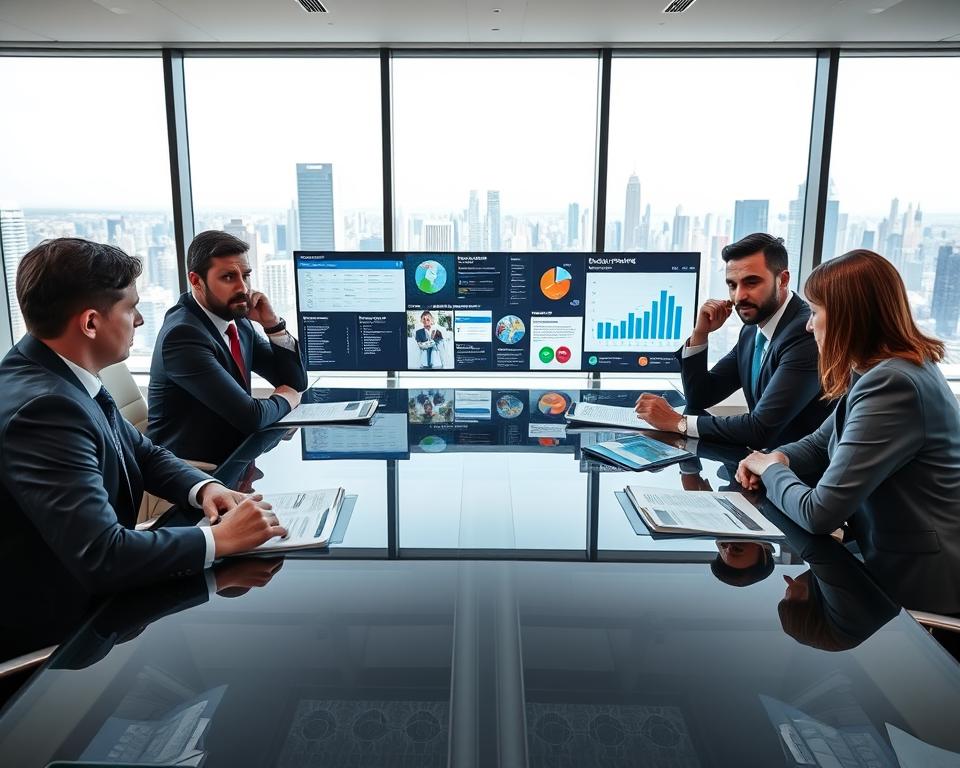
Decision fatigue in lengthy buying cycles
Long cycles amplify doubt. Research shows 89% of sellers report burnout and Gartner notes 80% of tech buyers feel post‑purchase regret.
The impact on people is clear: momentum stalls and essential choices get delayed.
Trust erosion, message blindness, and unsubscribe culture
When every platform message looks the same, engagement drops and inboxes fill with opt-outs.
Low-signal outreach across multiple platforms and email reduces trust and raises the chance of inaction.
One example illustrates a better path. An Outreach campaign that paired ads and a landing page form with targeted direct mail (Sendoso) produced about $8M in influenced pipeline and roughly $1M in influenced ARR.
- Long cycles increase friction; simplify steps to reduce the number of touches.
- Focus messages by platform and make each contact high value.
- Use hybrid tactics to cut through noise and help people make confident decisions.
Quick-start assessments: map your screen time and decision hotspots
Start by tracking one clear week of screen use to reveal where your attention drops and why. The goal is simple: collect small bits of information that show when and how often interruptions cost you minutes and focus.
Morning, midday, evening: identify your decision risk windows
Note patterns across three windows: morning, midday, and evening. Count the number of checks and how many minutes each interruption takes. Look for repeat times when you feel rushed or less clear.
Audit tools: device reports, app dashboards, and manual logs
Use built-in tools and apps to pull raw data: total screen time, app use, and notification counts. Pair those reports with a quick manual form where you jot context—what you were doing and how it felt.
- Quick audit: run a weekly tally to spot spikes in checks and lost minutes.
- Combine sources: device reports + app dashboards + a short manual log give richer data.
- Act on findings: pick resources and small experiments to protect your best time.
Convert your results into simple guardrails: protected windows on the platform that drains you most and set limits when your number of interruptions climbs.
Core how-to strategies to reduce cognitive load from screens
Simple, repeatable habits cut screen strain and free up mental space for clearer thinking. These tactics are low-effort and fit into a busy day.
The 20-20-20 eye reset and blinking
Every 20 minutes, look at something about 20 feet away for 20 seconds. Slow, deliberate blinking also eases dryness and strain.
Try an app like Workrave to remind you to pause and blink on a schedule.
Notification hygiene and no‑ping blocks
Trim defaults, filter low-value alerts, and schedule no‑ping blocks when you need deep focus. Route only critical information through priority channels.
Batch email and messages into focused minutes
Process email in two to three daily slots. Treat messages in short, timed sessions so you handle similar items together instead of interrupting work.
Paper-first for complex choices
For big or nuanced decisions, draft on paper first. Writing slows thinking, reduces app switching, and clarifies trade-offs.
- Pick a few tools that automate breaks and enforce your chosen solution without adding noise.
- Make the strategy practical: set reminders, route alerts, and stick to short, regular review minutes.
Design a daily decision routine that protects your best hours
Start the day with a short plan that reserves your clearest hours for the choices that matter most. A tight morning window and a few midday resets keep your mental energy steady so you make better calls when it counts.
AM focus: high-stakes decisions before engagement spikes
Schedule big or complex work in the morning, before inboxes and meetings raise noise. Block a two-hour slot and treat it as sacred time.
Protect decision quality by turning off nonessential alerts and setting a single goal for the session.
Midday maintenance: short walks, square breathing, body scan
Built-in resets counter midday wear. Try a 10-minute walk after a focused block.
Use square breathing (4‑4‑4‑4) or a short body scan to clear your head. These small acts lower fatigue and restore attention.
Evening wind-down: screen-light sessions and blue-light limits
Finish the day with a calm session that avoids bright screens and heavy tasks. Limit screen time in the hour before bed to protect sleep and tomorrow’s clarity.
Plan time buffers around deep work so meetings don’t follow high-brain tasks immediately. Use simple strategies to adapt the routine on heavy work days without losing your core safeguards.
- Sequence: put consequential choices in your best hours.
- Maintain: brief walks and breathing reset focus.
- Wind down: evening sessions with fewer screens support sleep.
Tools and apps that help you manage screen time without more noise
Pick tools that free up focus instead of filling your day with new alerts. Use a short list of practical options so your devices help rather than distract.
Break reminders and attention coaches
Workrave and similar break‑reminder apps cue visual rests and brief movement. These cues are gentle and keep your eyes and neck looser.
Attention coaches offer short prompts and simple feedback so you build a habit, not another dashboard to check.
Focus timers, website blockers, and gentle habit nudges
Use focus timers to carve protected blocks for deep work. Website blockers stop one‑tab spirals and cut decision anxiety around “just one more tab.”
Example: hybrid platforms such as Sendoso’s SmartSend show how technology can reduce noise by adding timely physical touchpoints that support engagement.
- Choose a few apps that prompt breaks and coach attention without spamming you.
- Test timers and blockers to protect deep work and lower anxiety.
- Match resources to your goal: clarity for each key decision window, not another report.
Set up your environment: ergonomics and workspace that support clear thinking
A thoughtfully arranged workspace reduces strain and helps you think more clearly during long work hours. Good ergonomics removes small sources of stress so your mind can stay on the task.
Screen distance, lighting, and posture to reduce strain
Place your screen about an arm’s length away and slightly below eye level. This simple shift lowers neck strain and keeps your eyes from working too hard.
Adjust lighting to cut glare. Soft, indirect light and a shaded monitor reduce reflections and protect your eyes during extended sessions.
Standing options, footrests, and document holders for longer sessions
Alternate sitting and standing when you can. Standing for short blocks eases back tension and refreshes focus over long hours.
Use a footrest and a document holder to keep posture neutral. Small supports help you stay comfortable so complex work and tough choice-making feel easier.
- Position screens at the right distance and angle to reduce strain and keep your mind sharp.
- Adjust lighting to cut glare and improve the impact of each focused block.
- Add simple tools—standing desk, footrest, document holder—to stay present during deep work.
- Connect ergonomics to better decision follow-through, not just comfort.
Hybrid, not hyper-digital: blending physical experiences with digital workflows
Blending tactile touchpoints with online workflows often resets attention and makes messages memorable. When email opens fall and meeting rates slow, adding physical elements restores a sense of care and focus.
When physical touchpoints cut through overload
Direct mail, curated gifts, and hybrid events create emotional hooks that tiny app prompts cannot. Research shows B2B outreach performs better when a physical moment supports an online thread.
Coordinating channels so each message has a clear purpose
Map each platform to one role: awareness, nurture, or conversion. That way you avoid repetitive pings and make every contact meaningful.
- Clear roles: give email, calls, and mail distinct jobs in the buyer journey.
- Example playbook: awareness ad, personalized mail, then a focused follow-up call.
- Simple way: pick physical touchpoints that add relevance, not noise.
Outcome: better engagement, fewer repetitive alerts, and strategies that field results and research show outperform digital-only campaigns.
निष्कर्ष
Simple routines can protect your best thinking and keep overload from defining your day. Start by auditing one week of habits, then pick a single solution to test: a no‑ping block, paper-first sessions, or a focused email window.
Protect your clearest hours and trim noise so you make stronger decisions before fatigue peaks. Small changes—fewer late screens, fewer email checks, clearer information—compound throughout day and improve how you act in a busy world.
Watch for signs of decision fatigue and pause when you see them. Choose one thing to try this week and note the results. That way you build a steady way back to clearer choice and calmer work.